
Best Calculator Tools for Lead Generation
A lead-gen calculator is a “silent salesperson.” It asks a few smart questions, gives a useful output, and earns the right to request contact details-without feeling pushy. Done well, it can outperform static landing pages because it replaces generic claims with personalized numbers.
This article uses a different structure than a typical “tool roundup.” Instead of listing features first, we’ll start with the lead-gen mechanics (what makes calculators convert), then match tools to funnel stages, and only then review three tools you can actually use in 2026.
We’ll compare:
- uCalc (calculator + forms builder meant to create calculators visually and embed them on websites).
- Calconic (template-driven calculator builder with a free-plan path after trial).
- Outgrow (interactive content platform for calculators/quizzes and lead-gen experiences, with platform-style pricing).
The lead-gen calculator funnel: 3 moments that matter
Most calculators fail not because the math is wrong, but because they’re built for the wrong moment in the customer journey. Think in three moments:
Moment 1: “Am I in the right ballpark?”
This is the top-of-funnel estimator: quick inputs, instant result, low commitment. The output should feel like clarity, not a sales pitch.
Best calculator style: one-screen, 3–6 inputs, clear assumptions.
Moment 2: “What option fits me?”
This is mid-funnel qualification. People want a recommendation, not just a number. The calculator should segment users into simple buckets (Starter / Growth / Pro), and explain why.
Best calculator style: step-by-step, conditional logic, results page with explanation.
Moment 3: “I’m ready-what’s next?”
This is bottom-funnel conversion. The calculator output should naturally lead to a CTA: request a quote, book a call, start checkout, or submit details for a tailored offer.
Best calculator style: results + lead capture (email/phone) + routing (notification/CRM).
The right tool is the one that supports the moment you need most.
What to evaluate: a “conversion-first” checklist
Instead of feature lists, evaluate each tool against these conversion drivers:
- Embed fit: Does it feel native on your site, where the traffic already is?
- Speed to launch: Can you publish a working calculator in hours, not weeks?
- Logic & steps: Can it handle branching, add-ons, and multi-step flows if your offer requires it?
- Lead capture mechanics: Can you place the form at the right time (before/after results) and make it feel fair?
- Pricing model: Are you paying for “a calculator tool” or a full interactive marketing platform?
Now let’s map the tools to those funnel moments.
Tool matching by funnel moment
If you want evergreen calculators embedded on service pages
Choose a dedicated calculator builder that’s built around embedding and repeat use.
- uCalc is explicitly positioned as a universal builder of calculators/forms, emphasizing visual creation “without coding skills” and the ability to build calculators of any complexity for business service estimation.
- Calconic also focuses on building interactive calculators for websites and leans heavily into templates to speed up publishing.
If you want campaign-style interactive lead magnets
Choose an interactive platform that treats calculators as part of a broader conversion program.
Outgrow positions itself around creating calculators, quizzes, assessments, and product recommendations that generate leads.
Side-by-side review of 3 tools for lead generation

1) uCalc – Build Your Own Calculator for Free
uCalc’s core promise is straightforward: build calculators in a visual editor without coding and use them to estimate service costs (including complex setups), then deploy them on your website.
Why it works for lead gen: it supports the “evergreen asset” approach. You publish calculators on high-intent pages (pricing, services, booking), let organic traffic interact, and capture leads when they see a personalized result.
Practical buying notes: uCalc lists three subscription plans (Basic, Standard, Pro) and a 14-day trial period that provides the features of the Basic plan; forms are preserved after the trial.
This matters because lead-gen calculators often need iteration-trialing a tool helps you test whether the editor, embedding, and lead capture flow actually match your site.
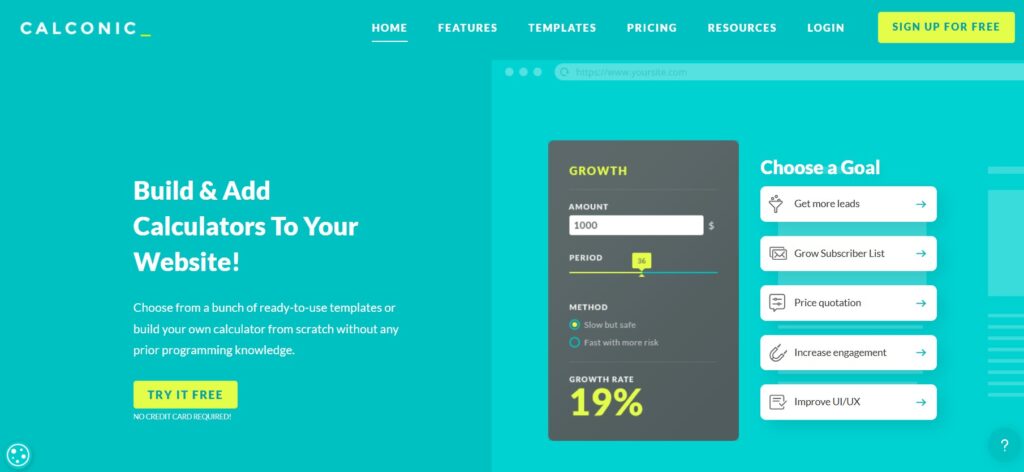
2) Calconic – Template-First Calculator Builder (with a free-plan safety net)
Calconic is strong when the fastest path to a lead-gen calculator is “start from a proven template, adjust, embed.” It explicitly highlights free sign-up plus access to premium features for 14 days.
Why it works for lead gen: templates reduce time-to-value. For many niches (quotes, pricing, savings), the logic pattern is similar; you mostly customize inputs, wording, and results.
Practical buying notes: Calconic’s pricing page explains that after the 14-day trial, you remain on the Free Plan unless you purchase.
That’s helpful if you want to test publishing and embedding with low risk before committing.

3) Outgrow – Best for “Interactive Content as a Marketing Program”
Outgrow is less “calculator builder” and more “interactive conversion platform.” It’s designed for quizzes, assessments, chatbots, polls, product recommendations, and calculators-all built to generate leads.
Why it works for lead gen: if your lead magnet strategy goes beyond calculators (for example, pairing a quiz with a calculator and segmenting users into different funnels), Outgrow’s approach makes sense.
Practical buying notes: Outgrow’s pricing page presents plans as “content pieces” and shows “Starting From $250 / content piece,” which signals platform-level economics rather than a lightweight calculator widget.
Implementation playbook: how to make calculators convert
A tool won’t save a weak offer flow. These rules improve conversion regardless of platform:
Put the calculator where intent already exists
Best placements are:
- service pages (right after benefits + before testimonials),
- pricing pages (as “estimate your cost”),
- product pages (configure + estimate),
- comparison pages (calculator as proof, not a gimmick).
Ask fewer questions than your sales team would
If your sales team needs 12 details, the calculator should ask for 4–6 and infer the rest or present ranges.
Give value before you ask for contact info
For many audiences, the best pattern is:
- show result range (instant)
- then offer “email me a detailed breakdown”
This makes the lead capture feel like an upgrade, not a toll gate.
Make results explainable
A number alone can feel arbitrary. Add a short “how we calculated this” summary and list the biggest drivers (size, urgency, add-ons).
The simple decision rule
- Pick uCalc if your priority is embedded, evergreen calculators that behave like a lasting part of your website and you want a clear tiered plan + trial to validate the workflow.
- Pick Calconic if you want template-first speed and like the idea of trialing premium features then staying on a free plan unless you upgrade.
- Pick Outgrow if your calculator is one piece of a broader interactive lead-gen program and you’re comfortable paying for a platform model.